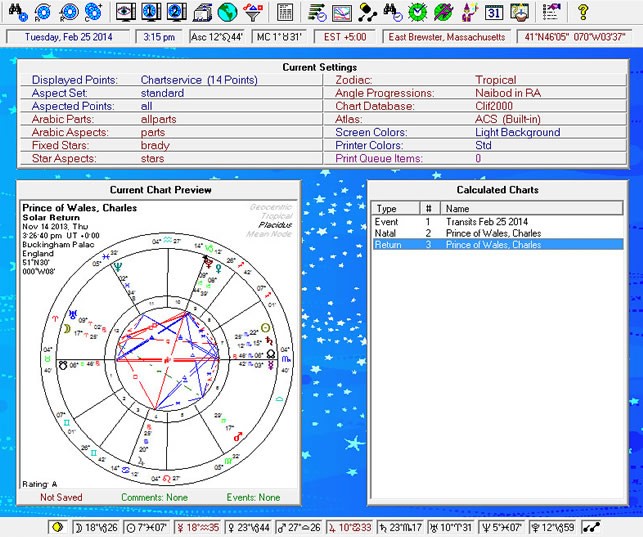
Using interactive tools and visualizations enhances your ability to read and interpret astrocartography maps effectively. Modern technology allows both beginners and advanced astrology students to explore planetary lines, parans, cross points, and relocation charts dynamically.
1. Benefits of Interactive Astrocartography Tools
- Dynamic Mapping: Zoom in on cities, countries, or continents to analyze planetary lines in detail.
- Custom Relocation Charts: Generate charts for specific locations instantly.
- Overlay Features: Combine planetary lines with transits, progressions, or solar arcs for time-sensitive insights.
- Cross Point Identification: Highlight intersections and parans automatically for easy reference.
2. Recommended Visualization Techniques
- Color-Coded Planetary Lines:
- Assign different colors to each planet for quick identification.
- Example: Sun = yellow, Moon = silver, Venus = green, Mars = red.
- Interactive Hover Info:
- Hovering over a line or intersection displays detailed information, including house activation, aspects, and angular positions.
- Layering Options:
- Turn on/off planetary lines, meridian lines, or parans to reduce clutter and focus on specific energies.
- 3D Globe Visualization:
- Use 3D mapping tools to see planetary lines across the globe for a realistic geographic perspective.
- Local Space Projections:
- Combine astrocartography with Astro*Locality radial maps for micro-level directional insights in your immediate environment.
- Event Simulation:
- Overlay transits, progressions, or solar arcs on the map to simulate potential experiences in different locations over time.
3. Popular Tools and Platforms
- Online Astrocartography Software: Offers interactive maps with planetary lines, cross points, and relocation options.
- Desktop Astrology Programs: Advanced features for combining global maps with local charts and timing techniques.
- Customizable Maps: Exportable for presentations, teaching, or personal analysis.
4. Practical Recommendations
- Start with one planetary line at a time to avoid confusion.
- Use cross points and parans layers for identifying high-impact zones.
- Combine global map view with local space projections for a complete understanding of planetary influence.
- Keep a journal of observations to track locations, experiences, and patterns over time.
Interactive visualization transforms astrocartography from a static map into a dynamic, experiential tool, making it easier to interpret planetary influences, plan relocations, or strategize personal growth.