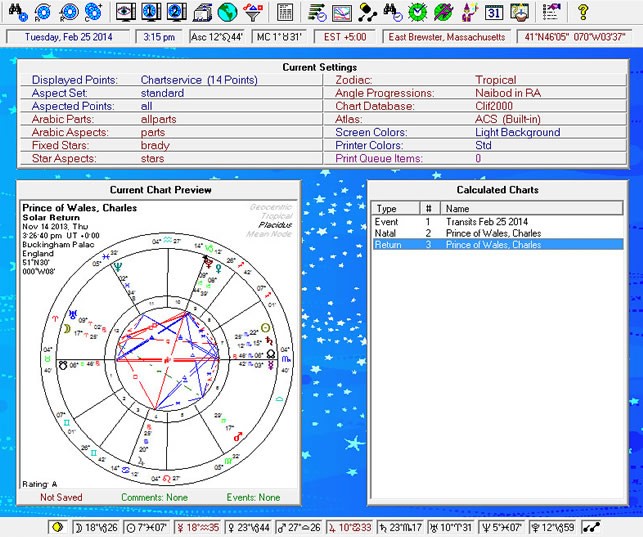
Interactive astrocartography tools can provide instant insights when users select a city and specific date, making it easier to explore planetary influences on travel, relocation, or time-sensitive decisions.
1. How City & Date Selection Works
- City Input: User selects the city or geographic coordinates to focus the analysis.
- Date Input: Users can enter specific dates for travel, events, or relocations.
- Dynamic Calculation: The software calculates planetary positions, lines, parans, and angular points for the chosen location and date.
- Relocation Chart Integration: Shows how planets shift in houses and influence life areas for that city on the selected date.
2. Key Features
- Planetary Lines Overview: Displays Sun, Moon, Venus, Mars, Jupiter, Saturn, Uranus, Neptune, Pluto, Chiron, and Lunar Node lines for the city and date.
- Cross Points & Parans: Highlights intersections and simultaneous angular influences.
- House Activation: Shows which houses are activated in the relocation chart for that location and date.
- Color-Coding & Tooltips: Color-coded lines and hover tooltips provide instant interpretation.
- Event Prediction: Integrates transits or progressions to indicate potential outcomes on that date.
3. Practical Applications
- Travel Planning: Choose dates and cities that maximize favorable planetary influences for vacations or study trips.
- Relocation Timing: Determine optimal windows for moving to a new city to enhance career, relationships, or personal growth.
- Event Scheduling: Identify dates and locations that support success in business, social, or personal events.
- Personal Insight: Quickly see how planetary energies manifest in specific locations for short-term experiences.
4. Advantages of Quick Analysis
- Time Efficiency: Provides fast, actionable insights without manual calculation.
- User-Friendly: Accessible for beginners while still useful for advanced practitioners.
- Dynamic & Interactive: Adjust city or date to explore multiple scenarios instantly.
- Integration with Other Tools: Can be combined with local space astrology, parans, and cross points for comprehensive guidance.
By selecting a city and date, users can perform rapid, personalized astrocartography analysis, making location-based astrology more practical, interactive, and actionable.